Ticketing
Assigning tickets without losing ownership
Keep a clear customer-facing owner through group queues, specialist input, transfers and returned replies.

Desk
Covers ticket workflows, routing rules and service levels in Australian support teams.
Ticketing
Keep a clear customer-facing owner through group queues, specialist input, transfers and returned replies.
Routing & Automation
Trace repeated agent actions, identify their causes and decide whether a workflow change, existing feature or new tool is justified.
Live Channels
An AI support tool needs an explicit route for uncertainty.
Routing & Automation
Compare arrivals, backlog, handling effort and qualified staffing across email, chat, phone and other support channels.
Ticketing
Use the remaining customer action to decide when a chat needs tracked ticket work and avoid duplicate records where messaging already creates tickets.
Routing & Automation
Compare first-in, priority and due-time ticket queues, including the exceptions and ageing checks each approach needs.
Live Channels
Compare chat and asynchronous messaging by customer presence, staffing, reply expectations and conversation continuity.
Routing & Automation
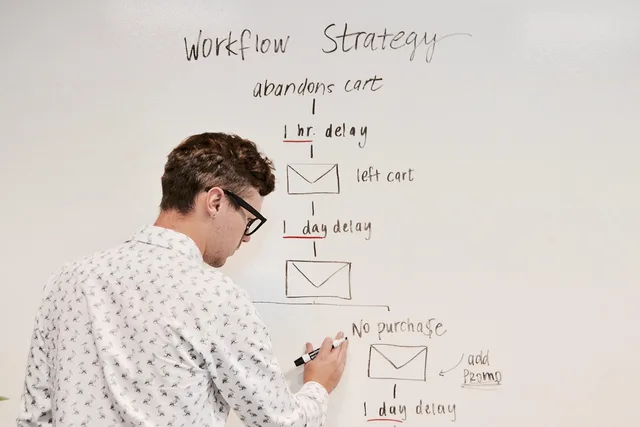
Create a concise support workflow brief covering intake, ownership, handovers, required data and completion before comparing software.
Ticketing
Define ticket statuses by the next action, waiting party and return event, then check how your system handles each transition.
Routing & Automation
Define the unassigned state, escalation clock, recipient and stop condition before automating overdue ticket alerts.
Routing & Automation
Turn case counts into an AI cost forecast using the provider's session, outcome or resolution rules.
Ticketing
Check ticket exports for replies, internal notes and actual files, then reconcile each item before migrating support history.
Ticketing
Give agents clear fallback steps for missing, ambiguous, denied, stale and temporarily unavailable customer records.
Live Channels
Decide when to offer live chat or persistent messaging, set clear reply expectations and keep unfinished conversations moving.
Ticketing
Define a contractor's support queue access, distinguish day passes from account expiry and hand over open cases before removal.
Routing & Automation
Choose useful order fields, verify customer matching and distinguish live source records from limited or stale support views.
Live Channels
Prepare an outage message, an independent update route, an owner and a reliable update cadence while support is disrupted.
Routing & Automation
Carry the issue, verification status, open action and reply route when a support conversation changes channels, while checking delivery limits.
Ticketing
Keep owners, next actions and reply routes intact for unresolved cases when switching support platforms.
Routing & Automation
Audit default notifications and automation rules so each ticket event produces the intended customer message once.
Live Channels
Keep coaching feedback tied to a case, separate customer corrections from coaching and give each finding an owner.
Knowledge Base
A correction should improve the next support interaction, not disappear as a one-off ticket note.
Routing & Automation
Trace conflicting rules through a support case, assign each decision an owner and check the ticket path after a narrow change.
Ticketing
Design a restricted case workflow and check roles, participants, reports, requester access and connected applications.
Ticketing
Reconcile paid support seats with required work, hand over cases and confirm when a lower licence count takes effect.
Routing & Automation
Map product and issue-type combinations to support groups, then handle missing fields, overlapping rules and later corrections.
Ticketing
Use a task-based matrix to separate support agent, supervisor and administrator actions, then check ticket visibility and exceptions.
Routing & Automation
Plan email, social messaging and order-data integrations around ticket capture, customer matching, replies and failure handling.
Ticketing
Plan support platform access by role, case visibility, temporary work and integration permissions, with checks for each grant.
Routing & Automation
Design support routing around reliable fields, clear ownership, monitored exceptions and controlled automation changes.
Ticketing
Find a support workflow problem, choose a proportionate technology change and check its effect on customers.
Routing & Automation
Check a routing rule with expected cases, inspect actual ticket paths and widen the change only after a controlled first release.
Knowledge Base
Check whether agents can retrieve usable, current and appropriately restricted case records when their helpdesk is disrupted.
Knowledge Base
The point of an AI answer test is to check whether the response follows the support material customers are meant to rely on.
Ticketing
Set up ticket records, statuses, ownership and queue order so support requests have a clear next action.